
The Case for a Smaller Tech Toolbox
To avoid technology overwhelm, a good rule of thumb: Think quality over quantity, and only keep what earns its place.
Your content has been saved!
Go to My Saved Content.I was listening as teachers planned together in a recent professional learning community meeting. The ideas were good, but I noticed that the list of tools they mentioned kept growing. In a moment of reflective observation, I thought to myself: This is a lot of tech to manage. Are all of these tools really adding to the learning experience?
Over the past few years, I’ve noticed increasing tech fatigue among teachers and students. With so many edtech platforms competing for our attention, even the standout tools start to blur together; and without the time to truly learn how to use them, worthwhile tools can go unused.
In response, I began narrowing the number of tech tools I share with educators. I focus on a small handful of core tools and return to them intentionally throughout the year. This shift has really reduced overwhelm, allowing teachers to focus on what works and benefits their practice.
When building your personal tech toolbox, the focus should be on tools you can consistently rely on again and again.
DON’T BE AFRAID TO START SMALL
Whether you’re new to the classroom or years into your career, more tools do not always lead to better learning.
Instead of trying to keep up with every new platform, start by choosing one tool that solves a real problem in your classroom and commit to learning it well. It’s OK to focus on that one tool for an entire year, figuring out how it fits best into your practice, before trying out another.
Keep in mind, you don’t need to use every feature a tech tool has to offer to make it worthwhile. You can begin with what feels manageable and build from there. For example, you could start by using MagicSchool to help generate discussion question ideas or draft a rubric. Then once you’re more comfortable, branch out to explore another feature inside the platform.
A SMALL, PURPOSEFUL TOOLBOX
When building your toolbox, the goal isn’t to cover every possible scenario. The aim is to choose a small number of tools that assist you in solving everyday problems well.
Ready-to-go resources: When you’re short on time, the pressure to design something polished can slow you down before you even get started. Spending too much time formatting slides, adjusting fonts, or building layouts from scratch is energy you can’t spend planning instruction or engaging with students. Sometimes you just need to get something created without staring at a blank screen for 20 minutes.
Try tools like:
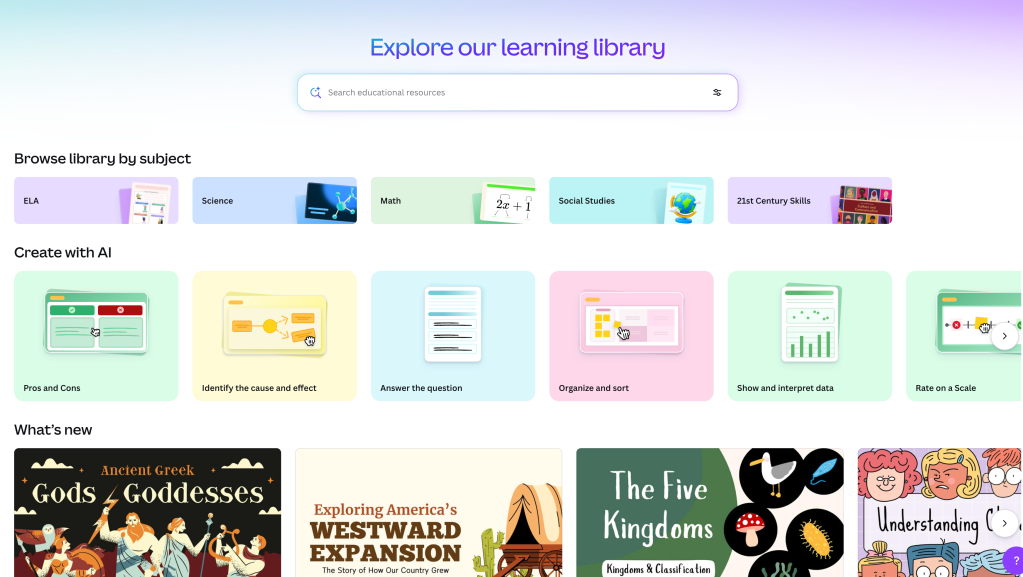
Whether you’re creating a presentation or outlining the daily agenda, you don’t always have time to design every slide or activity from the ground up. Starting with a ready-made template in Canva, Diffit, or Adobe Express allows you to focus on the content rather than the layout. In Canva, you might duplicate a simple agenda template, adjust the learning target, embed a few key questions, and use the timer shortcut to keep the lesson moving. The structure is already built, so your focus stays on instruction rather than formatting.
A shared space: During class time, student participation can feel uneven. A few students consistently share their thinking, while others stay quiet. In these instances, it can be difficult to identify who understands the content, who may still be processing, and who is completely lost.
Additionally, during class conversations, students may disengage if they don’t feel comfortable speaking up. When participation feels risky, silence is a much safer option. Creating a space for lower-risk initial participation allows you to invite more students into the conversation, pinpoint misconceptions early, and keep kids accountable for their thinking.
Try tools like:
All three of these tools can be used to create a collaborative space where every student can contribute at the same time. Consider posting a prompt at the beginning of class and asking students to respond before diving into the lesson. Encourage them to read and build on one another’s ideas. Without the immediate pressure of speaking, students can get their thoughts down first so they’re more confident and prepared when they’re called on. Thinking becomes much more visible, and all students become part of the learning.
Fresh ideas and inspo: Sometimes a lesson just feels flat. The structure is strong and the standards are clear, but something isn’t clicking. You’ve taught the content before, yet it feels like it needs new energy or a fresh approach.
When instruction feels stale, it’s easy to default to what you’ve always done. That can lead to disengagement for students and frustration for you. But you don’t have to reinvent the entire unit. Sometimes you just need a spark that inspires you to try something different.

Try tools like:
The MagicSchool “Make It Relevant” and “Real World Connections” tools are great for brainstorming ways to reframe content. SchoolAI can be used to create an activity based on the amount of available class time with their “Time-Based Activity” tool. And Brisk’s “Next Ideas” feature can enhance your next lesson: allowing you to attach an existing lesson plan, presentation, or project and generate quick, interactive student activities. These tools help us refine and refresh what’s already there.
The Swiss Army knife: Switching between platforms throughout a class period can be draining for everyone. With one tool for presenting content, another for practicing a skill, and another for collecting data, each transition requires teachers to manage an additional moving part.
The more platforms you juggle, the more you increase the cognitive load for everyone in the room. Students lose focus navigating between tools, and teachers lose valuable instructional minutes managing transitions. A more sustainable approach is to rely on one flexible tool that can serve multiple purposes without sacrificing quality.
Try tools like these:
- Wayground (formerly Quizizz)
- Canvas or Google Classroom
Within a teacher-led presentation in Wayground, students can work out problems on a digital whiteboard, label diagrams in real time, or respond to embedded questions without ever leaving the lesson. Inside a Wayground lesson, teachers can incorporate existing quizzes, add in short videos with questions, and gather standards-aligned data at the same time.
A strong learning management system (LMS) can also help minimize tool-switching. While my school uses Canvas, the same principle applies in any LMS. In Canvas, you can organize content inside modules, embed videos with questions using Studio, create assignments with built-in rubrics, and use discussion boards as exit tickets. One underutilized strategy is to use the Pages in Canvas to organize and present content in one central place. Pages also include built-in accessibility features, which support students without requiring additional tools.
CHOOSING WHAT TO KEEP (AND WHAT TO LET GO)
When deciding which tools deserve a place in your toolbox, it helps to focus less on what’s new or flashy and more on what you’ll actually use. A tool earns its place when it supports instruction consistently, not just when it sparks initial excitement. If a tool feels complicated from the start, it’s unlikely to become part of our routine.
The tools that last are the ones that grow with you over time, fitting neatly into the way your school routine already works. Choosing fewer, more flexible tools doesn’t limit your teaching. Instead, it creates more consistency for students (and less frustration for you).