How to Create Effective 15-Minute SEL Activities
Teachers can use a variety of tech tools to create short social emotional learning activities that fit easily into the classroom routine.
Your content has been saved!
Go to My Saved Content.
When the pace of learning speeds up, the first thing many teachers lose isn’t a program—it’s the breathing space to help kids feel seen, calm, and connected.
Across classrooms, educators are rediscovering that social and emotional learning (SEL) doesn’t have to come from big initiatives or extra curriculum. It can thrive in micro-moments—short, tech-supported routines that weave empathy, focus, and reflection into everyday instruction.
By reimagining familiar tools—Chromebooks, tablets, and online collaboration platforms—teachers are turning 10 minutes of class time into intentional routines of play, reflection, and connection. These “micro-SEL” practices prove that compassion and creativity can stretch further than any scheduled block or program label.
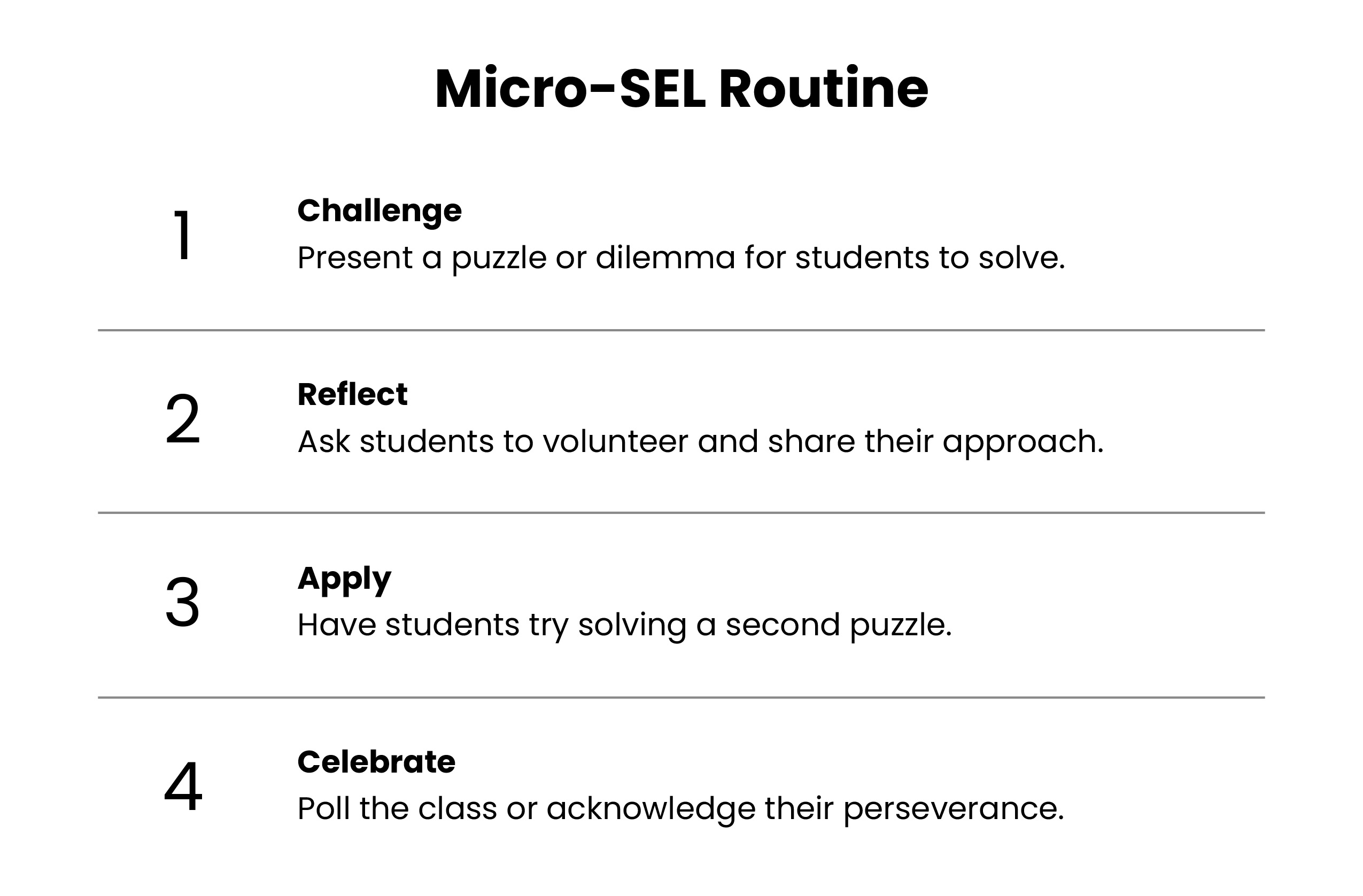
The Micro-SEL Routine
Each weekly cycle follows four quick phases (10–15 minutes in total) designed to fit within regular instruction as a once-a-week routine that teachers can embed at the start of class, after transitions, or during warm-ups.
Challenge (5 minutes): Students complete a short, tech-based task tied to an SEL goal such as empathy, focus, or teamwork. Tool options: Google Slides drag-and-drop puzzles or Slides collaboration boards, Padlet idea walls, Pear Deck or Nearpod interactive scenarios, Kahoot or Quizizz “kind response” quizzes, and Classroomscreen focus timers. Example: Silent Build—pairs complete a Google Slides puzzle without speaking, using only hand gestures, pointing, or other nonverbal cues to practice patience and perspective-taking.
Reflection (3 minutes): Students identify the emotions and strategies that the activity evoked. Tool options: Google Forms emoji polls; Pear Deck text prompts; Padlet columns; or a quick, hands-up 1–5 rating using Classroomscreen.
Prompt examples: “What helped you stay calm?” “What gesture showed kindness?” “What did you do to help your teammate?”
Apply (2–3 minutes): Students name where they’ll use the same skill next.
Tools: Mentimeter or Google Forms checkboxes linked to subjects like reading, science, or recess. Prompt example: “Where can you use this skill today?”
Celebrate (1–2 minutes): Teachers recognize participation and growth—never perfection—through quick digital celebrations like badges or sticker slides. These small acknowledgments help students feel noticed, motivated, and more willing to try challenging tasks. Tools: A shared Google Sheets “Badge Board,” Classroomscreen trackers, or digital stickers added to a class slide deck.
The Teacher Process
To implement the micro-SEL routine, complete these five steps:
- Preload a slide deck with four to six SEL challenges.
- Choose one each week and display it for the class.
- Run the challenge and reflect.
- Record quick behavior snapshots (e.g., faster transitions after challenge).
- Update a participation tracker or class badge chart.
No new software is required for this, just creativity with what you already have available.
Measuring Impact Without Adding Work
Teachers can collect meaningful, low-lift data through participation (roster check marks or automatic Form counts), behavioral shifts (make brief planner notes such as T+ = faster transitions; R+ = fewer redirections), and self-ratings (recording weekly focus in levels 1 through 5 in Google Sheets). In my experience, after four weeks, most educators report calmer transitions, stronger peer support, and improved engagement.
Equity and Inclusion at the Core
If you’re device-agnostic, it’s likely that you work with one-to-one devices, shared carts, or a single projector. In classrooms without individual tablets, a teacher can project the silent build slides puzzle on the board. Students take turns suggesting moves aloud or by raising their hands to experience how to build teamwork and collaborative communication.
For supporting multilingual learners, use visuals, icons, and minimal text in your class materials to reduce language barriers. For example, during a Padlet reflection, students can post emojis or images representing emotions instead of typing long responses. This allows multilingual learners to express their understanding through symbols and color as they develop fluency in a new language.
In terms of special-needs adaptation, a predictable format and flexible communication options support all learners. Students with sensory needs can preview each weekly micro-SEL activity on a visual schedule and respond using gesture cards or digital icons—ensuring inclusion without applying pressure to verbalize.
Privacy is paramount in micro-SEL routines. Make sure that no names or faces are shared publicly, and all activities stay within secure classroom domains. For example, a class can use an internal Google Sheet “Badge Board” where each student’s progress is tracked by an avatar that students choose themselves. This promotes motivation while maintaining confidentiality.
A Sample Month of Challenges
Here’s how a month’s worth of micro-SEL activities can play out in your classroom.
Week 1 SEL Skill: Focus
Sample activities: One-minute breathing using a visual timer, then a reflection poll that connects to reading time.
Week 2 SEL Skill: Empathy
Sample activities: “Choose the Kind Response” Pear Deck slide, an emoji poll, then students apply the skill to group work.
Week 3 SEL Skill: Collaboration
Sample activities: “Silent Build” Google Slides puzzle, a Padlet reflection, and then students apply the skill to their science labs during the week.
Week 4 SEL Skill: Perseverance
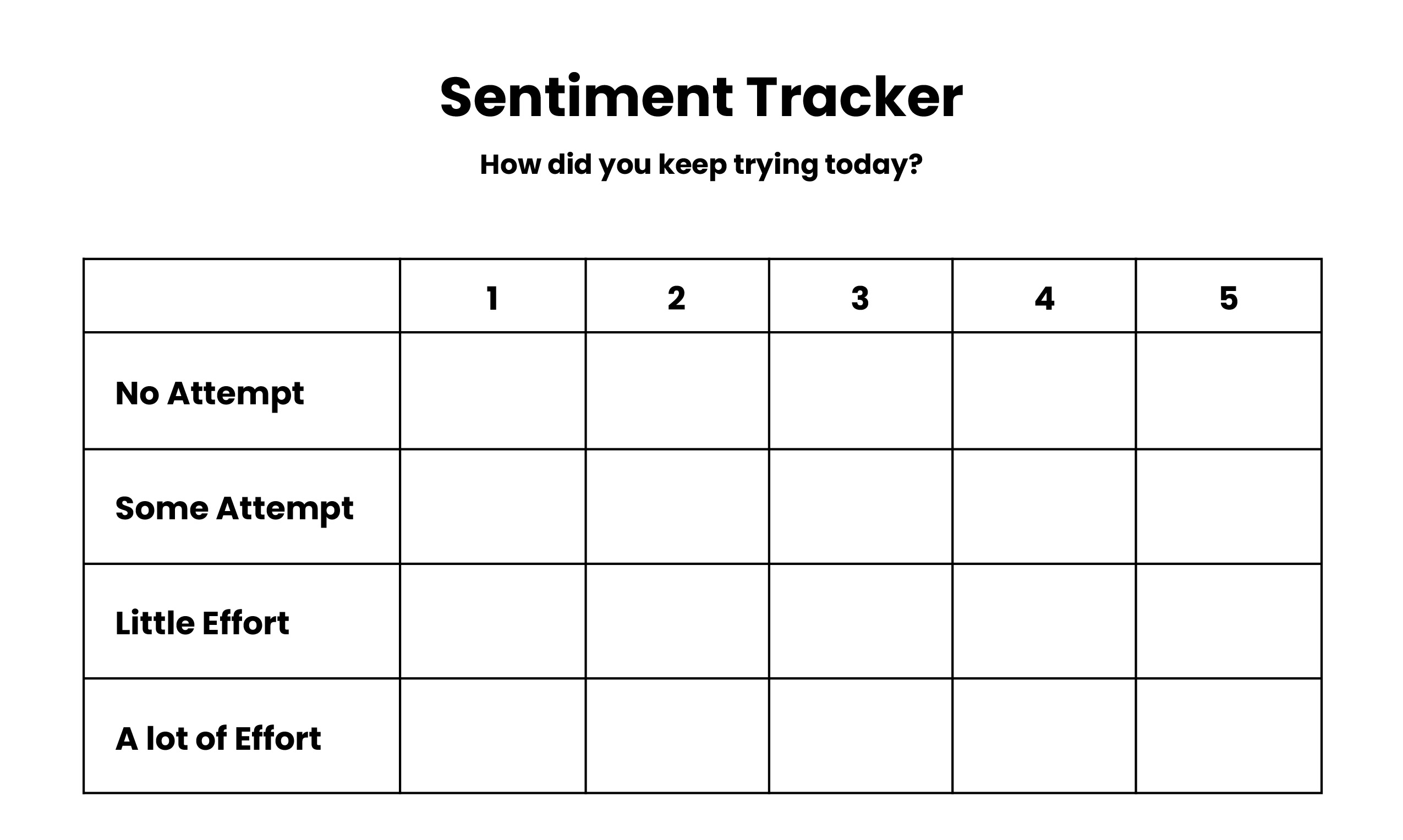
Sample activities: A timed puzzle with hints; an “I kept trying” 1–5 poll, which can be done using Classroomscreen’s built-in rating tool or a quick 1–5 Google Form. And then students apply the skill to solving math problems.
Ready-to-Use Resources Promote Student Growth
Because educators’ tech ecosystems vary, these templates are designed to be flexible rather than platform-specific. Below are sample visuals that illustrate what ready-to-use micro-SEL tools can look like. The examples are simple by design so that you can easily re-create them using tools you already have (Google Slides, Forms, or Sheets). Since they model structure rather than content, educators can adapt them for any grade level or SEL focus.
In classrooms across the country, teachers are proving that connection doesn’t require new programs or perfect conditions—it just takes a few intentional minutes, and the tools are already on the desk. A Chromebook becomes a mirror for empathy. A shared slide becomes a space in which to breathe. A quick poll becomes a quiet way to be heard.
Micro-SEL moments don’t replace larger SEL initiatives, but they sustain the most important promise of school: Every child deserves to feel safe, noticed, and capable of growth. Reserving 10 minutes for calm, reflection, and celebration helps protect something much bigger—the kind of classroom that helps kids become who they’re meant to be.