Keys to the (Online) Kingdom: The Importance of Basic Computer Skills
By Patsy Lanclos
9/12/06It may seem obvious, but one of the things I need to cover at my technology training workshops is the basic what, why, and how of keyboarding. Without the basic ability to type quickly and accurately, getting your ideas and data into a computer can take a lot of time and can be frustrating. Who really wants to use the hunt-and-peck method of inputting data for the rest of their lives?
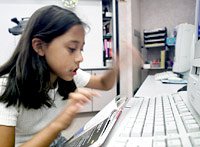
Sure, someday we may have foolproof voice-recognition software, which will eliminate the need for typing, but it's not readily available today! So, to use a computer with ease, being able to type is still an important skill. Once students learn to keyboard and learn basic word-processing skills, the integration of the computer into all disciplines is much easier.
Technology skills outlined in NCLB require that students be technology literate by the end of the eighth grade. Expectations are that students create reports on a word processor, use a spreadsheet for calculations, and use a presentation tool for demonstrating new knowledge. However, many students have never been taught the basics and continue to use the computer as if it were a typewriter.
Keyboarding should be taught in the early grades -- before students acquire bad habits. Free typing programs can be found on the Internet, and software packages can be purchased. The tried-and-true "teacher taught" method -- the method by which most of us learned to keyboard -- is one way to ensure students learn to correctly input data.
While students are learning to keyboard, other basic skills can be taught, such as:
- Use of a mouse (click, double-click, left click, right/control click, click and drag)
- Opening a new document
- Saving a document (proper naming and location for saving)
- Standard fonts, such as Times New Roman, Arial, Georgia, Comic Sans
- Appropriate size of font for print and presentations
- One space after all punctuation, including periods
- Alignment (left, center, right)
- Printing
- Closing a document and an application
As students become comfortable with these basics, other skills can be taught. Many skills can be incrementally learned in the third and fourth grades. The left and right margins in Microsoft Word by default are unusually wide; therefore, students should be taught to change the margins (and even reset the default, if desired.)
Another underused function of the computer is the setting of tabs. To get from one place to another place on a page, many times students will consecutively press the space bar or the preset tab. Since the typewriter had only one kind of tab, the different kinds of tabs on a computer (left, right, center, decimal) are little known. Students must be given examples of when each of these tabs are used, such as:
- Left tab - indentation of a paragraph
- Center tab - in headers/footers and certain kinds of poetry
- Right tab - in headers/footers and to place the name, date at top of paper
The proper use of font styles are also important. For example, underlining on a computer is discouraged because the underline token breaks a font descender (for example, the word young). The bold style is more commonly used for emphasis. The italics style is used to denote book titles, not underlining.
Once a student has learned to click and drag the mouse, the commands for copy, cut, and paste can be taught, as well as the use of the delete (and backspace) keys. Other useful skills include, but are not limited to:
- Undo and redo typing
- Bullets and numbering
- Headers and footers, including page numbering
- Tables
Other word-processing skills, such as columns, breaks, sections, borders, and word count can be taught in middle school.
Moderator's Note: Read Patsy's second post, which answers many of your questions and gives links to free resources on keyboarding and word-processing skills.


The importance of basic computer skills
Submitted by jane (not verified) on May 10, 2008 - 23:52.
Most of my students can enter in a "text" message faster than most adults can type.
They didn't need a software program to teach them.
jane
dallas, texas
I would like to comment on
Submitted by Des Howell (not verified) on January 21, 2007 - 13:51.
I would like to comment on Kathryn Peyton's (September 15, 2006) proposition that " the whole spreadsheet concept is a little too abstract for the middle school brain."
Yes, the WHOLE concept is a bit "abstract", if you mean the typical sets of personal constructs that adults have about spreadsheets. I suggest that we take a Piagetian approach and first observe the "mistakes" (as adults see them) that young people make when they begin to use spreadsheets. These may help you see spreadsheets from a child's point of view.
For example, I recently introduced spreadsheets to a Year Four class by suggesting these would be a good way to explore pentimos. As usual, I did not talk much about spreadsheets per se , I simply showed the students how to make the worksheet cells roughly square shaped and fill them with colours. The kids quickly got the hang of this. I overheard one of them saying very happily, "I haven't played this [computer?] game before!"
To the adult mind, spreadsheets are not games, but what are they to children before we impose the definitions that we have learnt as adults mainly in courses for adults or by reading spreadsheet manuals and listening to other adult opinions? (Consider this: Spreadsheets existed as a way of problem-solving long before business people invented the name. Even VisiCalc was not officially "a spreadsheet program" until its Tandy version came out.)
My theory (based on my reading about the origins of VisiCalc and my observations of students) is that spreadsheets are best defined (if you must define them) as multi-purpose software that can be used in basically three ways:
(a) Like a piece of paper
(b) Like a handheld calculator and
(c) Like a programming language.
Nowadays, we "program" computers in lots of different ways, not just the traditional method of making a list of instructions for computers to follow.
Personally, I think of using spreadsheet functions as a way of programming by describing mathematical and logical relations in a problem situation.
Concepts like these can be readily learnt gradually by young students. Think in terms of practical exercises rather than explanations. Build on what they already know (e.g. problem solving using pencil and paper) . Take a long-term approach over the length of the Middle phase of their schooling. Do it as part of "ordinary" lessons, right across the curriculum, rather than in special ICT lessons based on Adult short courses in spreadsheeting.
I look forward to the day when more teachers consider spreadsheets as yet another tool for "scaffolding" alongside other options such pencils and paper and calculators. This is using spreadsheets constructively as "Mindtools" to teach problem-solving, creative thinking, etc , if you want a label for it.
It works for me and my students are having a lot of fun.
I teach computer skills to
Submitted by Nicole H (not verified) on December 8, 2006 - 04:54.
I teach computer skills to students in grades K through 7, and although my curriculum doesn't suggest beginning formal keyboarding until grade 3, I found a neat program called Paws Junior that has allowed my first and second grade students to acquire formal keyboarding skills. (My attempts to teach Kindergarten students proved to me that they are not developmentally ready for formal keyboarding.) The program comes with color coded stickers that are applied to each key and bands that are labeled with the home row keys which students wear on their hands. Learning to key comes easily once they learn that their right pointer finger (which rests on the green J key) can only "visit" (type) other keys that are green. The program can be purchased at SRA.
I'm editing a journal on
Submitted by Sue Maxam (not verified) on November 26, 2006 - 00:17.
I'm editing a journal on Teaching Keyboarding and wonder if any of you have experience in teaching keyboarding online. While I agree that a keyboarding class taught by a knowledgeable teacher is the best method, some students do not have this option. Learning keyboarding online (in a class with a keyboarding teacher vs. online software) may be the best option for these students?
What do you think? Do you have any experience in this area?
I am in my first year as a
Submitted by Tisha McBride (not verified) on November 6, 2006 - 17:42.
I am in my first year as a Technology Applications teacher at Lumberton Early Childhood School in Texas. I taught Kindergarten for 10 years prior to this position. I never had more than 3 computers in my classroom and I found it difficult to fit in technology as a curriculum in the regular classroom. I used it to enhance other disciplines but correct usage of keyboarding and terminology was not priority. I taught computer in small groupts and it took weeks to finish projects. I currently have 589 students age 4-7 years of age. Many of these students have already been exposed to computers and many have habbits from home computer use. I introduced home keys starting the first week of school this year and the students were ready and willing to accept my challege of correct usage of the computer. I am part of a rotational schedule therefore I only see my students every 6 days and yet they come to me time after time remembering their hand positions and ready to work on there keyboading skills. This week was my 11th class with my students and we started working on Word Processing on the 10th week. Now that they have aquired an understanding of keyboarding they have been able to type, backspace, enter, space, bold, underline, itailisize, change font color, size, style and center. We have also inserted clip art and sized it. This has all been structured and I can't wait to turn them loose and see what they create on their own. Naturally the first graders are more successful because of their maturity, fine motor skills and reading skills but my kindergarten students are successful at a begining level with all that I have introduced. I have had them name computer parts and their functions. The skills they have aquired are beginning keyboarding, mousing skills, opening and closing programs, printing to different network printers, shutting down computers, word processing, and online tutorials at home that are optional. The children are continually rising to the challenge and enjoying it along the way. I am glad to be a part of their technology journey.
Hi, Your comments are so
Submitted by Georgina Farmer (not verified) on November 6, 2006 - 00:24.
Hi,
Your comments are so interesting to me because I have created four lesson plans for Grades 1-2 called "A Fun, Alternative Way to Teach Children Keyboarding" that could revolutionize the teaching of keyboarding in primary schools. They are simple, lateral thinking and they work!
In schools around the world, formal keyboarding lessons don't take place until Grade 3 (it can be as late as Grade 6). With more children being introduced to computers as early as Kindergarten, this means that children have no option but to "hunt and peck" for at least 3 years. This is such a waste of time (and frustrating for children and teachers). Worse, when they do undertake formal keyboarding lessons, it's a lot harder to break the bad habits they have developed
When I looked at available typing instruction software, I realized why. Despite being "spiced up" with games, music and falling letters on the screen, the user still has to mindlessly hit each key over and over to remember it and type random letters . . . very young children couldn't cope with this; they wouldn't understand what they were doing
So I created the four lesson plans using quirky association words, rather than mindless repetition, to help the children remember key locations. It's a game on a body-sized keyboard on the floor where selected children become "fingers" and jump when their letter is called out (children love to jump about)
After the four lessons, the children KNOW which finger hits which key (I can just imagine them going home to their parents and saying "Mum/Dad, you are using the wrong finger") and can immediately apply this knowledge, in a non-demanding way, in any class that requires them to type text, eg, to enhance language skills, children compose letters to friends, story writing activities or presenting project findings in words and pictures in other classes. With few large blocks of time in a school day, each lesson can be split into two 15-minute lessons and no teacher training is required
I recently posted the link, Typing Tutor, to Lessons 1 and 2 on a popular Lesson Plans site and said I would give any teacher access to Lessons 3 and 4 if they gave Lesson 1 and 2 "a go" in 2006 and, then, provided me with feedback and answered a few questions . . . and I would like to offer the same deal to you all . . . if it is permitted for me to post this offer as I do sell the four lesson plans, together with a Children's version using computers (Grades 3-6) and Adults version (Grades 7+) online as part of a Multi-User Licence for schools
One teacher commented:
The benefits are the kinesthetic, visual, and auditory learner are all getting to learn their way. It uses all the senses and anytime a child can see as well as do, they remember better. I will teach my keyboarding classes this way from now on. It is fabulous!!!!
Cheers,
Georgina Farmer
My kids' schools don't teach
Submitted by Linda B. (not verified) on September 28, 2006 - 15:46.
My kids' schools don't teach any keyboarding of any kind! (middle and elementary) I skimmed through all of your comments hoping to find a glowing recommendation for a particular program we can use at home. We can't do an online course, so I need to purchase a program for them. Any suggestions?
Thanks!
Linda B, Watch for a future
Submitted by Patsy Lanclos (not verified) on October 2, 2006 - 20:35.
Linda B,
Watch for a future blog post that may answer your question. There are many commercial programs available such as Typing Tutor, Type to Learn, Mavis Beacon. However, if you do a search on the Internet for "typing programs", you will find there are many available for free. Some of the programs you can download to your computer (so that you are not using them online) and some are available only online.
Patsy
I wholeheartedly support
Submitted by Larry J. Thomas (not verified) on October 4, 2006 - 19:34.
I wholeheartedly support smaller class size as a factor in recruiting more teachers. However, there is a strong need for educational support. There is a prominent need to have more support services in place. Students need to have an additional person nearby to help when the teacher is doing whole group teaching. Students need to be exposed to a variety of learning and teaching styles.
I truly believe that beginning teachers should serve as a classroom assistant for one semester before graduation in order to obtain a teaching certificate.
Thanks for contributing to
Submitted by Ross Abels (not verified) on October 4, 2006 - 13:48.
Thanks for contributing to this necessary conversation Patsy.
Whether at school or at home, computers will continue to play a vital role in the lives of students. Keyboarding skills are no longer vocational in nature, but necessary to communicate, extract and disseminate information. Keyboarding, a psychomotor skill, is internally monitored and controlled and externally performed. Sound pedagogical procedures inherent learning the psychomotor skill of touch keyboarding are necessary to facilitate student proficiency and enhance the use of time and effective use of technologies.
The goals of a intentionally designed sequence of instructional experiences to develop keyboarding skills include:
• Develop touch keyboarding techniques for alphanumeric and symbol entry;
• Develop acceptable accuracy and speed of touch keyboarding skills to facilitate communication.
In developing keyboarding skill, stress technique first, accuracy second and speed last. Skillful technique is the best guarantee of combined accuracy and speed. In developing keyboarding proficiency, students must be guided through a series of increasingly complex movements of eye, arm, hand, and finger sequences which culminate in the movements or motion patterns they are expected to use in keying.
Sufficient time should be devoted to initial keyboarding instruction (about 30 hours minimum), and the new skill should be reinforced throughout the school years. Keyboarding skills improve little or abate without consistent reinforcement.
Post new comment